2026-06-15
Logging RAV4 mileage
Logging RAV4 mileage to Google Sheets with Home Assistant
My 2025 RAV4 Hybrid is integrated into Home Assistant through the ha-toyota-na custom integration. One of the sensors it exposes is sensor.rav4_daily_km — the odometer delta for the day. For the past few months I’d been logging that to a local CSV file using a shell command triggered by a nightly automation.
It worked. But the file lived inside the HAOS VM on Proxmox. No backup strategy, no way to view it from another device, and sharing it anywhere meant manually copying it out. Good enough for a proof of concept, not good enough for data I actually want to keep.
The fix
Home Assistant’s Google Sheets integration lets you append rows to a spreadsheet via a service call. Setup is OAuth-based — you authorize HA to write to your Google account, pick a target sheet, and it’s ready. The integration was officially added in 2022.11 and has been solid since.
The documentation is straightforward. The tricky part is the config_entry field in the service call — you need to grab your integration’s entry ID from the HA developer tools, not from the integration page itself.
The automation
alias: Log RAV4 daily KM to Google Sheets
description: Fires at 11:55 PM and appends a row to the mileage sheet
trigger:
  - platform: time
    at: "23:55:00"
condition: []
action:
  - service: google_sheets.append_sheet
    data:
      config_entry: !secret google_sheets_config_entry
      data:
        Date: "{{ now().strftime('%Y-%m-%d') }}"
        Daily KM: "{{ states('sensor.rav4_daily_km') | float | round(1) }}"
        Odometer: "{{ states('sensor.rav4_odometer') | float | round(0) }}"
mode: single
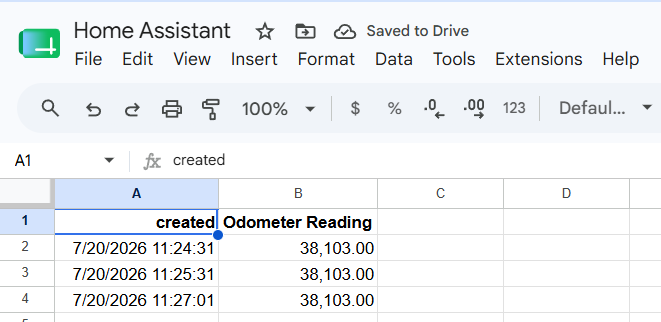
Fires at 11:55 PM, grabs the day’s values, and appends a row. The sheet now has a running log — date, daily delta, and total odometer — accessible from any device and backed up through Google’s own infrastructure.
Store the
config_entryID insecrets.yamlrather than hardcoding it. Makes the automation portable if you ever recreate the integration.
Why this matters over CSV
The data is now somewhere I can actually reach it. I can chart it in Google Sheets without touching the server, share it if needed for insurance or maintenance tracking, and query it from other tools. If the VM gets rebuilt, nothing is lost.
The old CSV method was a fine first pass at proving the automation worked. But once you’re collecting data you care about, it needs to live somewhere reliable. A flat file inside a VM is neither of those things.
Next step is pulling the sheet into a Looker Studio dashboard so the mileage history shows up alongside the vehicle view in my Home dashboard.
Resources: HA Google Sheets integration docs · Setup walkthrough on YouTube